AI Course Creator | Standard Plan | Installation Guide
Information we need from you:
- Contact Email of plugin purchased user (To create account)
- LMS Base URL (for webhook configuration, used to send back created course tarball file)
What you receive:
- Organization API Key (X-API-Key)
- Used to authenticate with all customer facing API endpoints
- Has an expiry aligned with your subscription validity
Components involved:
Tutor Plugin
- GitHub - blend-ed/tutor-blendxcoursecreator · GitHub
- Use version
redwoodfor versions redwood and sumac. Useteakfor teak version - Handles all the additional configurations required for the working of the plugin, including adding the new MFE to the list
- Use version
Additional Pip Requirements
- GitHub - blend-ed/blendxcoursecreator · GitHub
- Receives our webhook call and course package
- Handles importing the
.tar.gzcourse into your Open edX
MFE
- GitHub - blend-ed/frontend-app-course-creator · GitHub
- MFE in your Open edX instance for creating and viewing courses.
AI Course Creator Cloud
- https://aicc.blendxed.com
- API Docs will be available in the
/docspath
- API Docs will be available in the
- https://dashboard.blendxed.com
- To monitor credit usage and manage billing
- Can be accessed using the API key
Plan and Credits:
- Plan: Standard Plan — $199 / 30 days
- Credits included: 15,000 credits per billing cycle
- Credit usage per course:
- Small: 300 credits
- Medium: 600 credits
- Large: 1,000 credits
- Extra credits (optional):
- Small pack: 2,000 credits — $15
- Medium pack: 5,000 credits — $35
- Large pack: 10,000 credits — $60
Typical flow:
- We provision your org and generate your API key.
- Your Open edX team installs the MFE and Open edX plugin in your instance.
- You provide the Webhook URL
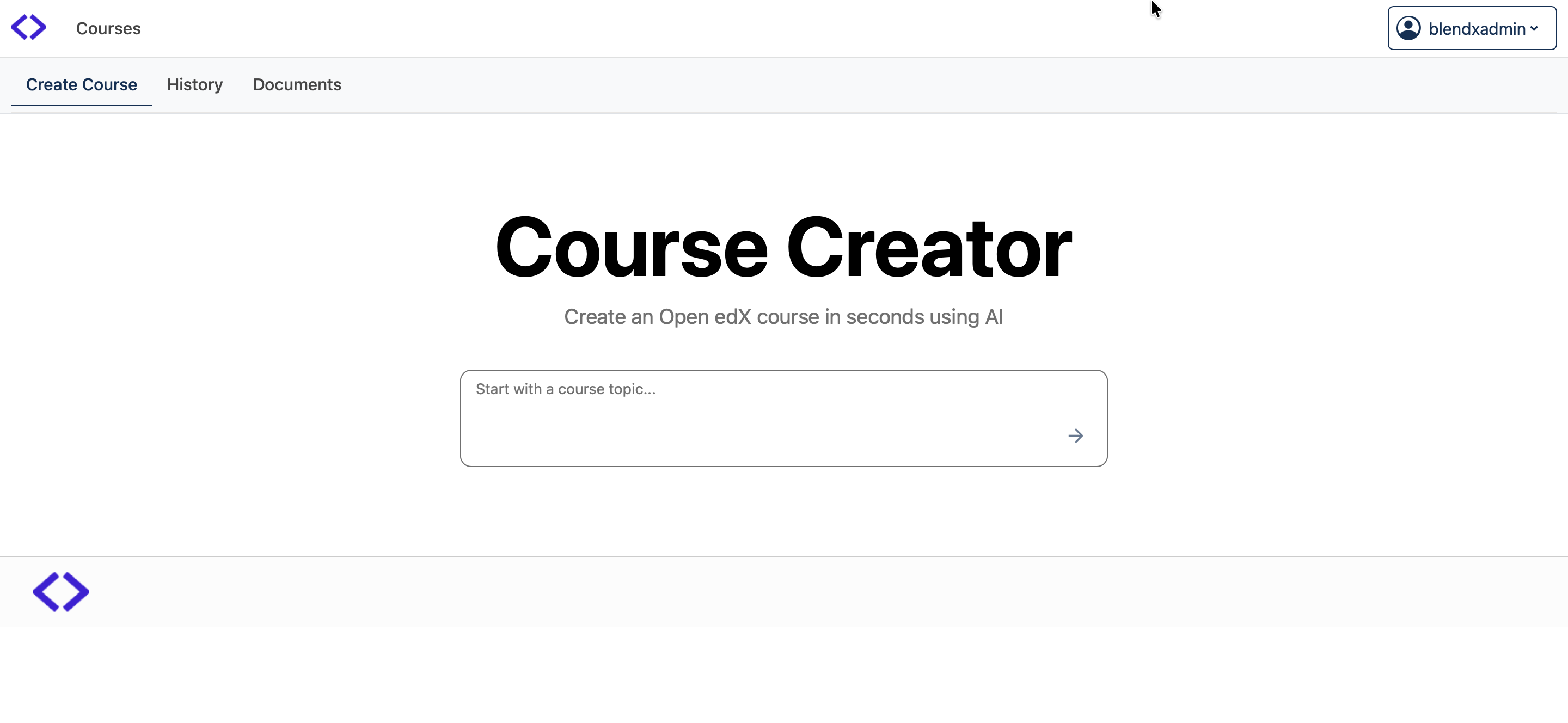
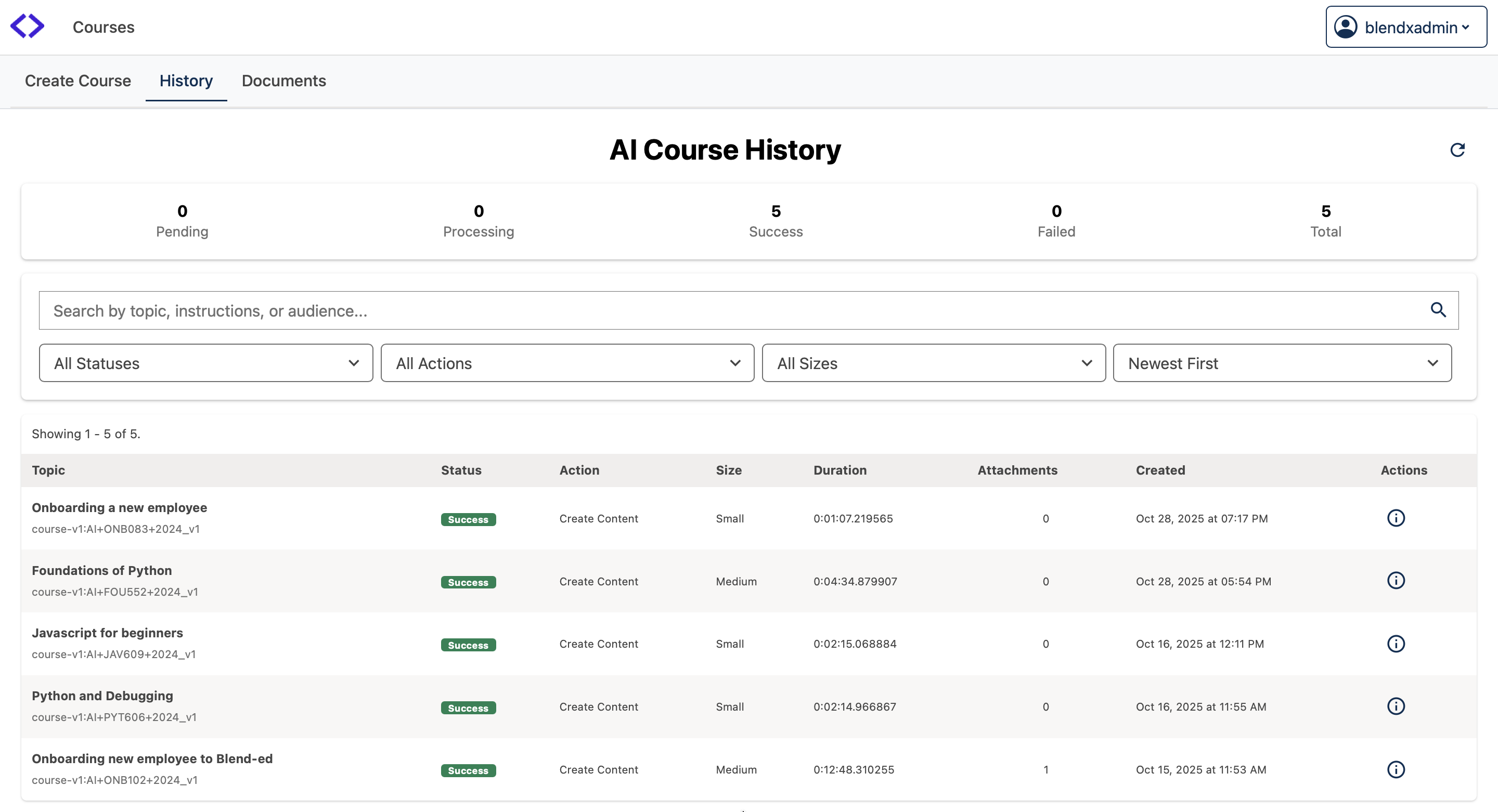
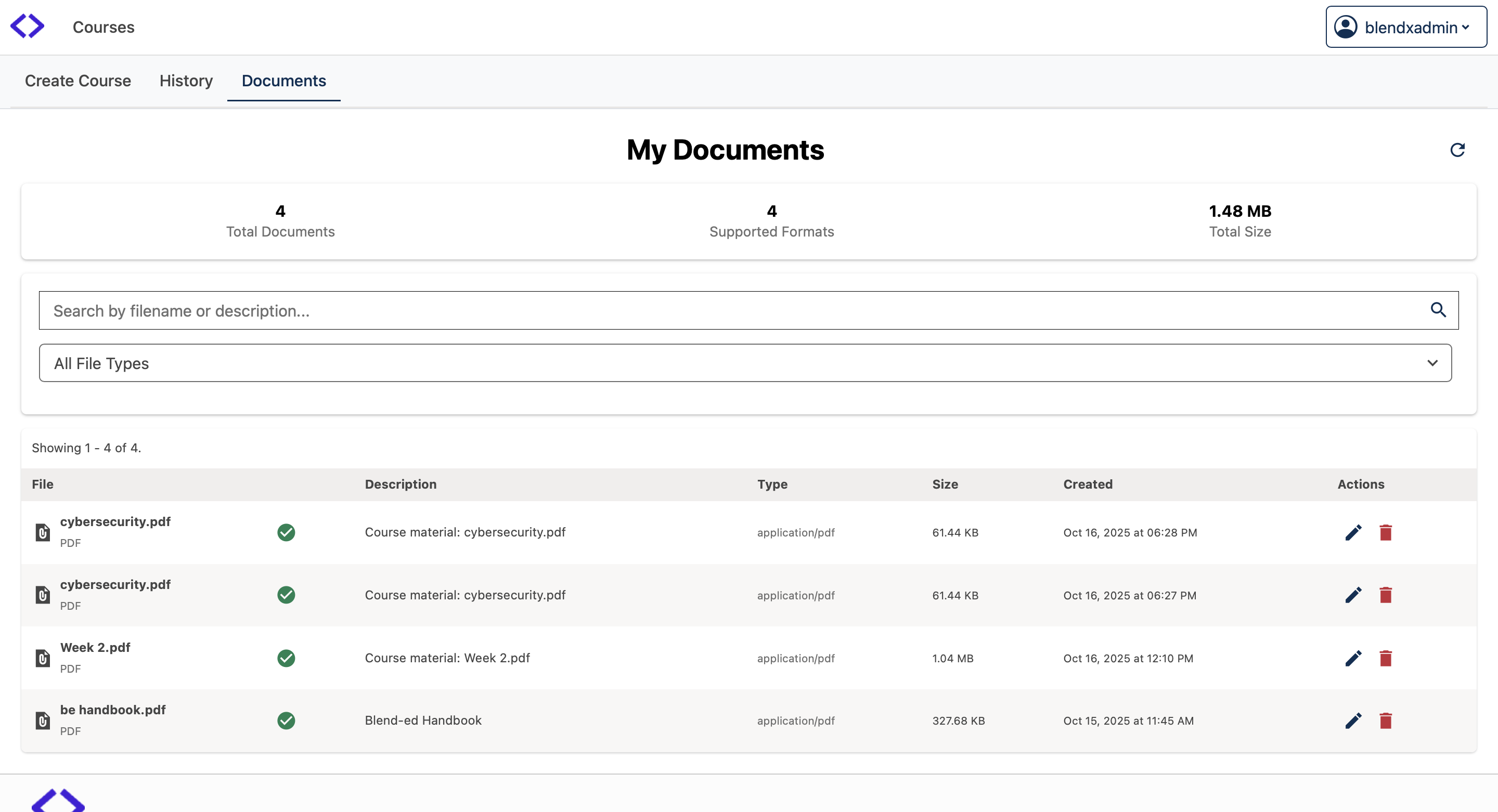
- Your team uses the AI Course Creator MFE to trigger course creation and cloud dashboard monitor credits.
- On successful generation, we POST the course package to your Webhook URL.
- Then the course will be visible in your Platform
Config variables:
BLENDXCOURSECREATOR_BLENDX_AICC_KEY: your_api_key
BLENDXCOURSECREATOR_ENABLE_COURSE_CREATION_EMAILS: true
Configuration Steps:
-
Install the tutor plugin
cd $(tutor plugins printroot) git clone https://github.com/blend-ed/tutor-blendxcoursecreator pip install -e $(tutor plugins printroot)/tutor-blendxcoursecreator # redwood is currently default in the plugins master branch. Use .env to change to different version. Available redwood and teak. echo 'COURSE_CREATOR_MFE_VERSION=redwood' > .env -
Enable the plugin and add the configuration variables in
config.ymland savetutor plugins enable blendxcoursecreator echo -e '\nBLENDXCOURSECREATOR_BLENDX_AICC_KEY: your_api_key\nBLENDXCOURSECREATOR_ENABLE_COURSE_CREATION_EMAILS: true' >> config.yml tutor config save -
Rebuild the MFE and Open edX images
tutor images build openedx mfe -
Start the service
Navigation:
Once the plugin is installed and setup correctly, the course creator MFE will be available in the MFE_BASE_URL/course-creator/ path
Notes:
- Currently supported for versions above
Redwood - Credits are consumed when a course generation is triggered based on selected size
- If credits run out, course creation will be blocked until you purchase more